

Performance bottlenecks rarely announce themselves politely. They surface under production load, during a demo, or five minutes before a release when the stakes are highest. The real challenge with application performance optimization is not the fix itself but the diagnosis: bottlenecks can hide in a slow database query, a bloated serialization layer, a thread pool starved of resources, or a garbage collector running amok. Engineers who resolve these issues quickly share one trait: they follow a systematic, repeatable process for isolating the culprit instead of guessing their way through a codebase. This guide lays out that process, from initial profiling through targeted fixes, so every production fire becomes a five-minute triage instead of an all-night scramble.
Before reaching for any tool, the most valuable skill in system performance troubleshooting is knowing what question to ask. Randomly profiling endpoints or staring at dashboards without a hypothesis wastes hours. A diagnostic mindset starts with narrowing the problem space: is the bottleneck CPU-bound, memory-bound, I/O-bound, or network-bound? Answering that single question correctly eliminates 75% of false leads.
Every performance investigation should begin with high-level observability data. Metrics like CPU utilization, memory pressure, request latency percentiles (p95, p99), and error rates tell you which resource is under stress before you ever open a profiler. APM metrics from tools like Splunk or Datadog give you that top-down view in seconds.
A bottleneck you cannot reproduce is a bottleneck you cannot fix with confidence. Invest time in building a load test or replay mechanism that triggers the slowdown consistently. Tools like k6, Locust, or even a simple shell script replaying production traffic patterns give you the controlled environment needed to measure before and after every change.
Without reproducibility, you are optimizing blind, and blind optimization often introduces regressions elsewhere in the system. Reliable reproduction also serves as your verification step after applying a fix, closing the diagnostic loop.
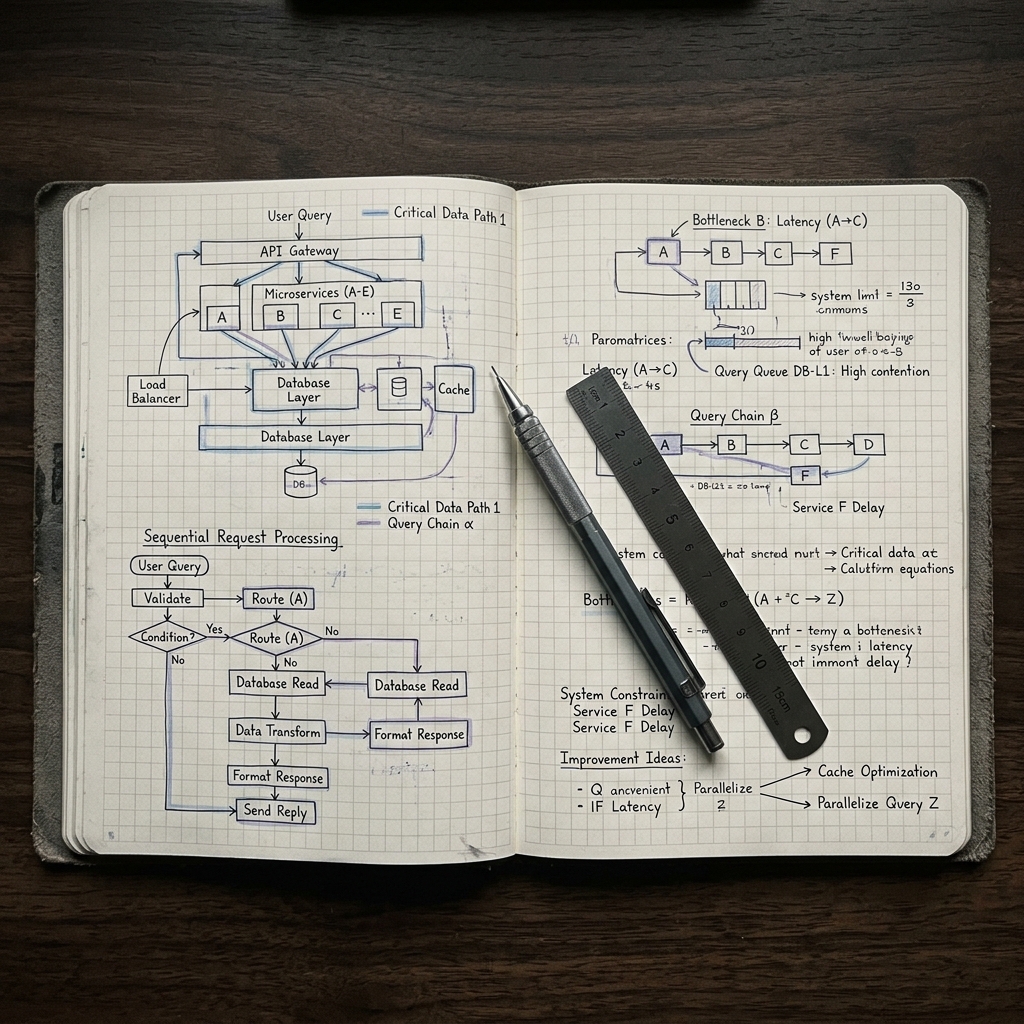
Once observability data points you toward the right resource category, it is time to zoom in. This is where CPU profiling for developers, memory analysis, and query-level debugging converge into a focused investigation. The goal is to move from "the API is slow" to "this specific function allocates 400MB per request because of an unbounded result set."
CPU profiling remains the fastest way to answer "where is my application spending time?" Sampling profilers like async-profiler (JVM), py-spy (Python), or the built-in V8 profiler (Node.js) capture stack traces at fixed intervals and aggregate them into a statistical picture of hot code paths. The output is most useful when rendered as a flame graph, where wide bars represent functions consuming disproportionate CPU time.
Reading a flame graph is straightforward once you know the pattern. Look for wide plateaus near the top of the stack: these are leaf functions doing the actual work. A wide bar deep in the stack means a framework or library call is expensive, which usually points to a configuration issue rather than a code bug. Debugging skills matter here because interpreting profiler output requires understanding what the code is supposed to do versus what it is actually doing.
One common trap is optimizing a function that only appears hot because it is called millions of times from a loop that should not exist. Always trace the call chain upward. The fix is often not making the function faster but calling it fewer times. This distinction separates senior-level optimization habits from surface-level tweaking.
Memory leaks degrade performance gradually, making them harder to catch than a slow query that shows up immediately in traces. In garbage-collected languages, a "leak" typically means objects are being retained by references that were never cleared, such as event listeners, growing caches without eviction policies, or closures capturing large scopes.
Heap snapshots are the primary diagnostic tool. In Node.js, Chrome DevTools can capture and diff heap snapshots to show which object types are growing between intervals. For JVM applications, tools like Eclipse MAT or VisualVM parse heap dumps and surface dominator trees showing which objects retain the most memory. In native code, gperftools heap profiler tracks allocation sites directly. Chrome DevTools profiling techniques are especially valuable for frontend engineers dealing with DOM node leaks and detached element trees.
The fix pattern for memory leaks is consistent across languages: find the retention path, break the reference, and verify with a second snapshot. Reducing application latency that stems from GC pressure often comes down to eliminating a single unbounded cache or fixing a subscription that was never unsubscribed.
Slow queries are the single most common source of bottlenecks in web applications. The first step is identifying them. Enable slow query logging in your database (MySQL, PostgreSQL, and SQL Server all support this natively) and sort by total execution time, not just per-query duration.
A query that runs in 5ms but executes 10,000 times per page load is far more damaging than a single 500ms report query. N+1 queries deserve special attention because they hide in plain sight. An ORM that lazily loads related records will fire one query per parent row, turning a single page render into hundreds of round trips. The fix is almost always eager loading (JOIN or subquery) or batching. Clean code practices help prevent N+1 patterns from creeping back in, because well-structured data access layers make query behavior explicit rather than implicit.
Beyond N+1, look at missing indexes, unnecessary columns in SELECT statements, and queries that scan full tables when a filtered index would suffice. Adding the right index can turn a 3-second query into a 3-millisecond query with zero application code changes.
In microservices architectures, a single user request can traverse dozens of services. Traditional logging is insufficient because it gives you disconnected fragments. Instrumentation and tracing in applications using OpenTelemetry or similar frameworks attaches a correlation ID to every span, letting you reconstruct the full request lifecycle and pinpoint which service introduced the delay.
Distributed tracing answers questions that no single service's logs can: "Why did this request take 4 seconds when each individual service reports sub-100ms latency?" The answer is usually serialized calls that should be parallelized, or retry storms triggered by a single flaky dependency. Teams practicing scalable developer toolchain strategies embed tracing from day one rather than bolting it on after the first outage.
When comparing Datadog vs New Relic for performance monitoring, the decision often comes down to ecosystem fit. Datadog excels in infrastructure-heavy environments with its unified metrics, logs, and traces view. New Relic offers stronger APM-first workflows for teams whose primary concern is application-level latency. Both support OpenTelemetry ingestion, so the choice is less about capability and more about which UI and alerting model matches your team's workflow. DevvPro has covered developer tool comparisons extensively for teams evaluating these stacks.
Performance engineering practices do not exist in a vacuum. Technical debt is often the root cause behind bottlenecks that resist quick fixes. A tangled service boundary forces synchronous calls where async would suffice. A legacy ORM version lacks batch loading support. An outdated runtime misses critical GC improvements.
Treating software performance tuning as purely a profiling exercise ignores the architectural decisions that created the problem. The most effective teams allocate a fixed percentage of each sprint to performance-related debt reduction. This is not about premature optimization; it is about maintaining the structural health that allows future optimizations to land cleanly. When every fix requires navigating three layers of abstraction that should not exist, even the best essential developer tools cannot compensate for a broken architecture.
How to fix performance bottlenecks comes down to a disciplined loop: observe, hypothesize, reproduce, profile, fix, and verify. Skip any step and you risk optimizing the wrong thing or introducing new regressions. The engineers who excel at this are not the ones who memorize tool flags; they are the ones who build a mental model of their system's resource flow and use bottleneck analysis methods to interrogate it systematically. Start with observability, narrow with profiling, and confirm with load testing, and most performance problems resolve themselves within a single focused session.
Explore more engineering deep dives and performance guides on DevvPro, The Engineering Journal.
Bottlenecks typically stem from resource contention in CPU, memory, disk I/O, or network, often triggered by inefficient algorithms, unoptimized queries, memory leaks, or misconfigured infrastructure.
Start with high-level observability metrics like CPU usage, memory trends, and latency percentiles, then narrow down using profilers, heap analyzers, and distributed tracing tools.
Replace lazy-loaded ORM calls with eager loading strategies such as JOINs, subqueries, or batched fetches to reduce the number of database round trips per request.
Retained objects consume heap space over time, forcing the garbage collector to run more frequently and for longer durations, which pauses application threads and increases response latency.
Microservices introduce network hops, serialization overhead, and distributed coordination, meaning a poorly orchestrated call chain can multiply latency even when individual services are fast.
.png)
.avif)